published on September 07, 2026 in devlog
In this week's devlog Michi presents a new command, RTE, that shows all current route executions.

Michi (molp)
The work on routes continued this week. I implemented a new command (RTE - route executions) that keeps track of all ships that are currently assigned to a route. Here is a first draft of that command:
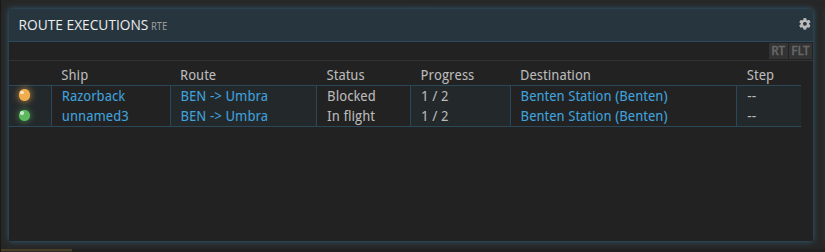
For each ship that is assigned to a route, it shows the route, its status, progress through the route's waypoints, current destination and current step. I added a small indicator so it is immediately visible if the route execution is blocked by something. In that case the indicator will be yellow. In other cases it'll be green. As usual the list is updated automatically as the execution progresses. Clicking on the ship's name will open the RTE command with that ship's transponder code and show a more detailed view of the execution:
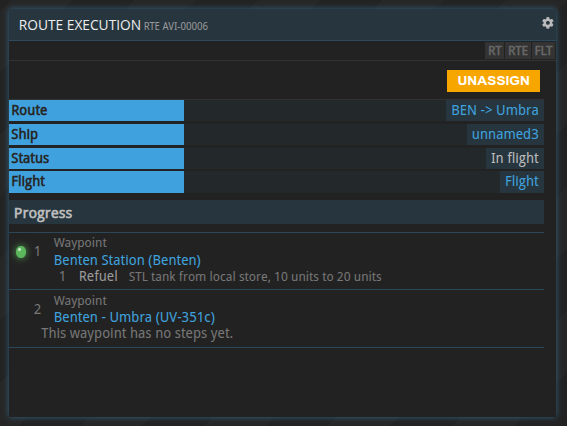
In the upper section we have the same information as in the list view, but with an additional flight field. Clicking it opens the ship flight controls SFC and thus the current flight of the ship. The progress section is a similar to the route editor, but without the buttons to actually edit the route. An indicator on the waypoints and steps shows where the execution is currently at. Right now the command doesn't really tell why a route execution is blocked, it could be missing fuel for a flight, no funds for a gateway passage, not enough fuel to refuel, etc. I am pretty sure that we can make this more specific in the future.
I also implemented a lot of smaller details, for example: the normal ship controls, like aborting a flight, setting 'unload on arrival' etc., will not work while a ship is assigned to a route. Additionally routes now loop, if the corresponding flag is set for the route. If a user loses PRO status while a route is being executed, the route will finish the current execution, but not start a new one.
We also have the latest economic report for you:
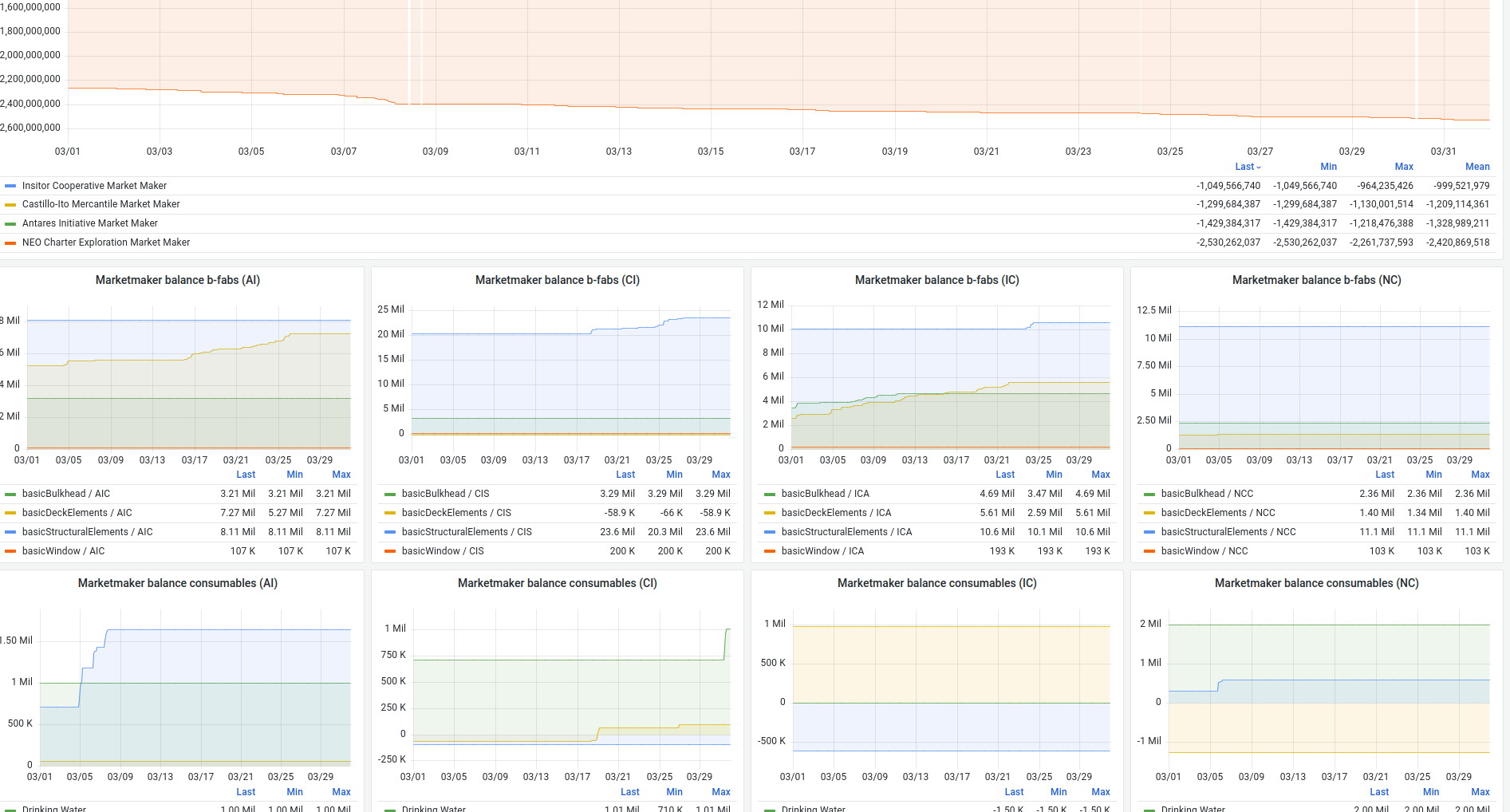 Click the image for the full report
As always, we'd love to hear what you think: join us on Discord or the forums!
Happy trading!